The (Convoluted) Problem
I'm quite inured to life with Apple. Vendor lock-in has set in that frankly the effort to move off is just not worth it at the time. Maybe when I retire.
But one of the little annoying things that keeps getting in my way is the HEIC image format. Frankly, I probably don't need it and almost never us the "live photo" feature. Are there other reasons to use it? ¯_(ツ)_/¯
I'm also in an unconventional setup where I'm using OneDrive for my picture backup. We needed the MS 365 for home use, and it came with a 1TB storage, and I just couldn't justify a big ole subscription. But it isn't the greatest at synching from the phone to the laptop.
So by emergent circumstances and a little bit of laziness, when I want to send a pic from email on my laptop, it turns out the easiest way to get it there is by AirDrop. Which is handy, I get the image and I can use it, right?
Well...no. Because gmail of course doesn't recognize .HEIC, does it.
You Must Convert
So basically, I need a quick way to take my .HEIC image and move it to some more universal format. Enter ImageMagick. I honestly forget where I first learned of it. And it's super powerful (like way way way more powerful that I'll ever need for what I do).
Most importantly, it comes in a command line version. Meaning I can easily and quickly rip through a load of files in one command and not have to open each one in Preview (or some other GUI app).
For instance here are three images I transfered today.

If I want to transform them into .png format, I can do this:
> magick mogrify -format png *.HEIC
> ls -al IMG_797*
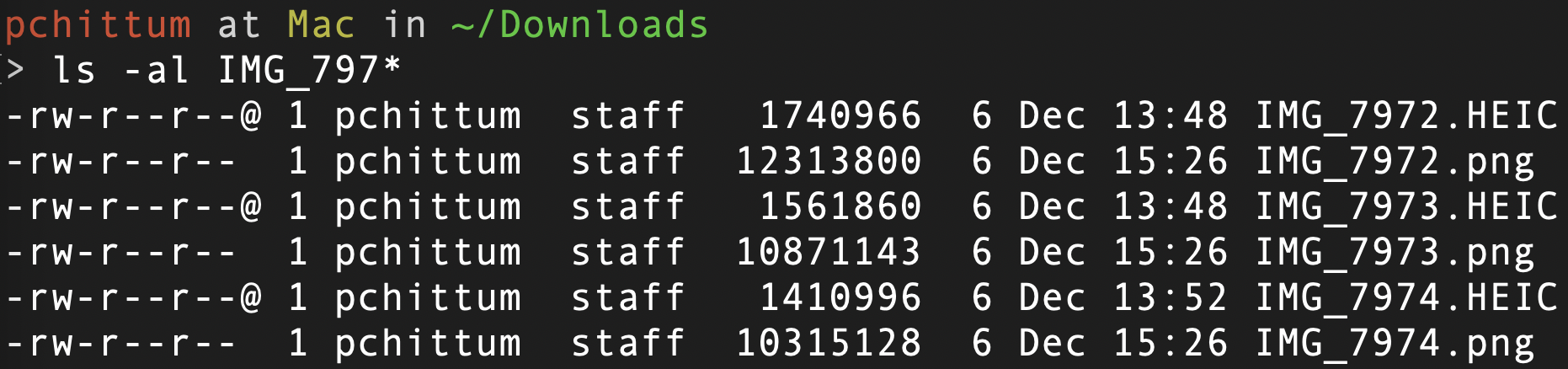
Boom! Just like that I've got my .png formatted images. But here we see a bit about why .HEIC can be kind of nice: super small file size. Look how much bigger those .png files are! And this was a problem. I was trying to email these to someone and I didn't want to have to store them in Google Drive to do so. So let's go again.
> magick mogrify -format png -resize 50% *.HEIC
> ls -al IMG_797*
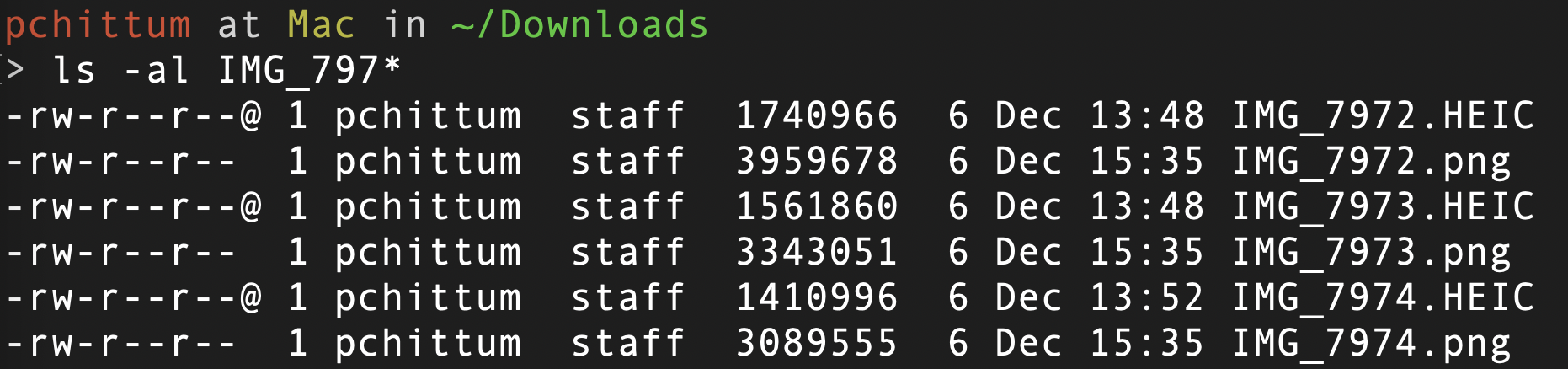
Excellent! Much better sizes for the .png files.
Wrapping Up
I know I'm just touching the tip of the iceberg. And it's a bit overkill as far as features for my purposes. But way better and faster to convert.
ImageMagick is (downloadable)[https://imagemagick.org/script/download.php] for free and runs on Linux, Windows, MacOS and iOS. Go give it a go. And give the CLI a try, too.